.svg)



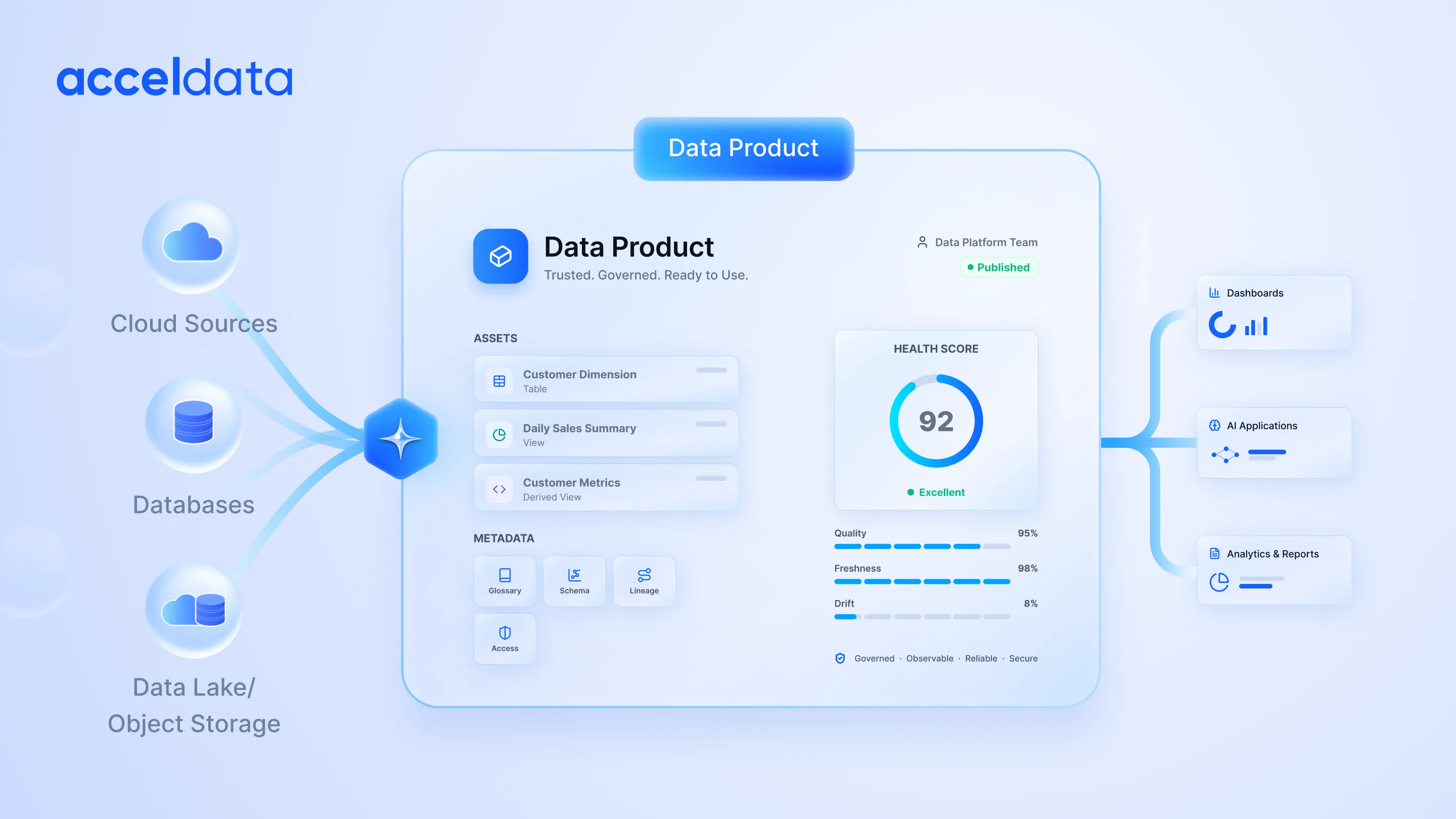
Fragmented metadata doesn't just slow you down—it costs you trust.
When data discovery is broken, insight delivery stalls and governance gaps widen. Organizations with centralized metadata practices report faster analytics turnaround because the right information is findable, contextualized, and connected across every system.
Modern metadata tools go beyond tracking tables. They capture pipelines, transformations, ownership, and operational context in real time. When a critical dashboard shows stale numbers mid-quarterly review, the right tool traces the issue back to its source in seconds, not days.
In high-stakes, regulated environments, that's not a nice-to-have. It's the difference between confidence and chaos.
Why Metadata Becomes Fragmented Across Snowflake and BigQuery
When you operate both Snowflake and BigQuery, it’s easy to see why metadata becomes fragmented. Each platform has its own way of tracking tables, queries, access permissions, and lineage, which can lead to inconsistencies across your data ecosystem. You may find yourself maintaining duplicate governance workflows or reconciling conflicting metadata, slowing down analytics and decision-making.
For instance, your marketing team might see one version of a customer segmentation table in Snowflake. In contrast, the sales team sees a slightly different lineage in BigQuery, which can cause confusion and reporting errors.
Fragmentation doesn’t just affect efficiency; it impacts trust and compliance. Without a centralized approach, you risk making decisions based on incomplete or outdated metadata.
What Good Metadata Integration Looks Like Across Warehouses
Good metadata integration is more than syncing column names. It’s about consistency, timeliness, and context across platforms. In practice, strong metadata integration means:
- Consistent asset definitions across Snowflake and BigQuery so analysts don’t misinterpret tables or datasets.
- Fresh, automated updates that reflect ETL changes, schema modifications, and new data pipelines in real time.
- Cross-platform lineage visibility so you can trace a business metric from source to dashboard across any warehouse.
A practical example: A revenue dashboard pulls from BigQuery marketing data and Snowflake finance tables. Without integrated metadata, a schema change in BigQuery could break downstream dashboards in Snowflake without warning. With proper metadata tools, alerts, and lineage updates propagate automatically, saving hours of manual troubleshooting.
Tools That Integrate With Snowflake and BigQuery for Metadata
When evaluating tools, think in categories rather than individual vendors. Each serves a different purpose in keeping your metadata reliable and actionable.
Enterprise Metadata and Catalog Platforms
Platforms like Alation and Collibra provide enterprise-scale cataloging, governance, and discovery. They unify metadata across Snowflake and BigQuery, making it searchable and auditable. You get one source of truth for definitions, business glossaries, and compliance requirements.
Example: A U.S. financial services firm reduced audit prep time by 40 percent after consolidating metadata into a single catalog, ensuring all Snowflake and BigQuery datasets had up-to-date classifications and lineage.
Data Observability and Lineage Tools With Metadata Support
Tools like Acceldata and Monte Carlo not only track lineage but also monitor metadata freshness and quality. They alert teams when schema changes, missing columns, or broken pipelines could impact downstream analytics.
A survey of real data teams showed that data observability practices reduced time to resolve data issues by around 50 percent, helping teams find root causes faster.
ETL and ELT Tools That Generate Operational Metadata
ELT platforms such as Matillion, Fivetran, and Stitch generate operational metadata during data movement. When integrated properly, this metadata feeds into Snowflake and BigQuery catalogs, helping teams maintain context for every pipeline, transformation, and table update.
Example: A startup using Fivetran automatically synced metadata from BigQuery into their data catalog, cutting manual tracking efforts by half.
Open and Lightweight Metadata Frameworks
Open-source solutions like Amundsen and OpenMetadata provide lightweight frameworks for tracking metadata without full enterprise overhead. These frameworks are ideal for startups or teams that want flexibility while maintaining lineage and discovery across Snowflake and BigQuery.
Snowflake Metadata Integration: What Tools Must Support
When you’re managing Snowflake, certain metadata elements aren’t optional—they’re the foundation for reliable analytics, cost control, and governance. Without tracking the right metadata, you’re flying blind. Here’s what matters most and why:
1. Query History
- Tracks who ran which queries, when, and how long they took.
- Helps spot inefficient or duplicate queries and optimize compute usage.
- Example: Companies that actively monitor query history report up to a 25 percent reduction in unnecessary compute spend.
- Practical tip: Use query history to detect unusual activity or recurring errors before they cascade into bigger issues.
2. Role-Based Access Metadata
- Shows who has access to each table, schema, or warehouse and what actions they can perform.
- Essential for compliance, audit readiness, and preventing unauthorized access.
- Example: A healthcare organization using Snowflake improved audit readiness by 40 percent by tracking role-based metadata.
- Practical tip: Regularly review access metadata to ensure your least privilege policies are enforced.
3. Warehouse Usage Metadata
- Captures compute consumption by user, workload, or pipeline.
- Lets you optimize resources and prevent unexpected costs.
- Example: Teams that monitor warehouse usage can reduce idle or overlapping compute clusters, saving thousands per month.
- Practical tip: Combine warehouse usage with query history to identify cost-saving opportunities without impacting performance.
4. Transformation Lineage
- Maps how raw data flows through pipelines, transformations, and dashboards.
- Makes it easy to troubleshoot errors, validate reports, and understand downstream impacts.
- Example: Finance teams can trace discrepancies in quarterly revenue reports back to a single transformation step in Snowflake, saving hours of investigation.
- Practical tip: Ensure your metadata tool captures lineage automatically so you always know the “source of truth.”
With tools like Acceldata, Amundsen, or OpenMetadata, all of these Snowflake-specific metadata points are tracked automatically, giving you a single, reliable view of your environment. This not only reduces manual work but also ensures your analytics are trustworthy, your governance is enforceable, and your teams can act confidently.
BigQuery Metadata Management: Where Integration Often Breaks
When you work with BigQuery, metadata integration can quickly become tricky if you don’t account for platform-specific challenges. Unlike Snowflake, BigQuery has unique quirks that can cause gaps in visibility, lineage, and governance.
Here’s where things often break and what you need to watch out for:
1. Dataset-Level Permissions
- BigQuery manages access at the dataset level rather than at individual tables or columns.
- Without careful tracking, you might over-grant permissions or miss enforcing least privilege policies.
- Example: A U.S. fintech company discovered that multiple teams had access to sensitive transaction tables due to untracked dataset permissions, which could have led to compliance risks.
- Practical tip: Use metadata tools that capture all dataset-level access and map it to individual users and roles for full visibility.
2. Regional Separation
- BigQuery datasets can reside in different regions, which affects data residency, latency, and regulatory compliance.
- Ignoring regional metadata can create challenges when integrating data across warehouses or enforcing governance policies.
- Example: An enterprise operating across the U.S. and EU regions faced issues with GDPR compliance because metadata for EU datasets wasn’t fully visible in their central tool.
- Practical tip: Make sure your metadata platform tracks dataset locations and flags cross-region dependencies for easier compliance management.
3. Limited Native Lineage Visibility
- BigQuery’s native lineage tracking is basic, often showing only query relationships but not deeper transformations or dependencies.
- Without richer lineage metadata, it’s hard to troubleshoot broken pipelines or validate analytics outputs.
- Example: A marketing team noticed discrepancies in campaign dashboards, but tracing the issue manually through BigQuery queries took days. Automated lineage from tools like Acceldata or OpenMetadata resolved it in minutes.
- Practical tip: Integrate tools that enrich lineage metadata from ETL/ELT pipelines and BigQuery logs to maintain a complete, up-to-date picture.
4. Stale or Inconsistent Metadata
- BigQuery’s dynamic nature, with streaming datasets and frequent schema changes, can quickly make metadata outdated.
- Example: Teams relying only on native BigQuery metadata saw a 20 percent increase in broken dashboards due to stale column descriptions or missing transformation details.
- Practical tip: Regularly sync metadata from ETL pipelines and streaming jobs to ensure freshness, accuracy, and reliability across your analytics stack.
By addressing these BigQuery-specific challenges with robust metadata tools, you can avoid fragmentation, ensure compliance, and give your teams confidence that their analytics and governance decisions are based on accurate and current information.
How Metadata Flows From ELT and ETL Tools Into Warehouses
When you move data with ELT or ETL tools, the metadata they generate is just as valuable as the data itself. Every transformation, every pipeline run, and every schema change creates metadata that tells you the story behind your datasets. This is what powers lineage, keeps your metadata fresh, and provides operational context in both Snowflake and BigQuery.
Key points to understand:
- Automatic lineage tracking: ELT tools like Fivetran or Matillion capture transformation steps and feed them into your metadata platform, so you know exactly how data flows from source to dashboard.
- Freshness signals: Metadata updates in real time with each pipeline execution, helping you identify stale or missing data quickly.
- Operational context: Knowing which jobs ran successfully, which failed, and which columns were modified lets you troubleshoot faster and maintain trust in your data.
Example: A retail company using Snowflake with Fivetran noticed recurring data discrepancies in inventory dashboards. By monitoring the ELT-generated metadata, they traced the issue to a single failed transformation step and fixed it before it impacted downstream reporting.
Which Data Warehouse and ELT Tool Is Best and Economical for a Startup?
If you’re building a startup, every dollar counts. Choosing a data warehouse and ELT tool isn’t just about raw performance; it’s about cost efficiency, ease of integration, and how well metadata is handled.
What to consider:
- Integration depth: Tools that natively support your warehouse reduce setup time and make metadata flow seamless.
- Cost per pipeline: Cloud warehouses like BigQuery or Snowflake charge based on compute and storage, so lightweight ELT tools like Airbyte or Singer can help you minimize costs.
- Long-term scalability: Even if you start small, ensure your stack can grow without forcing a complete rework.
Example: A SaaS startup began with BigQuery and Airbyte for its ETL pipelines. Because metadata from Airbyte is automatically integrated with their catalog, the team could manage lineage and governance without hiring extra engineers, saving both time and money.
Which ETL Tools Do You Prefer and Why?
When it comes to ETL, your choice often depends on metadata visibility, lineage tracking, and integration ease rather than just raw data movement.
Key considerations:
- Visibility into metadata: Some ETL tools automatically feed lineage and pipeline metadata into your catalog, reducing manual tracking.
- Ease of integration: Tools that support both Snowflake and BigQuery natively save you headaches when managing multiple warehouses.
- Operational monitoring: You want tools that alert you when a pipeline fails or when data is stale so you can act immediately.
Example: Data teams often choose Matillion for Snowflake because it automatically logs transformations and pipeline executions. On the other hand, BigQuery users might prefer Fivetran or Airbyte for similar automated metadata capture. Choosing a tool that gives you this operational visibility prevents hidden issues and keeps your data reliable.
How to Evaluate Metadata Tools for Snowflake and BigQuery
Choosing the right metadata tool is more than picking the most popular platform. You need a practical framework to ensure your tool truly supports your warehouses.
Evaluation checklist:
- Integration depth: Does the tool natively connect to Snowflake and BigQuery? Can it capture all transformations and query history automatically?
- Lineage accuracy: Can you trace every table, column, and pipeline across multiple warehouses without gaps?
- Governance support: Does it track role-based access, audit trails, and policy enforcement?
- Cross-warehouse consistency: Are metadata attributes standardized across platforms, so your teams have a single source of truth?
Example: Companies using Acceldata or OpenMetadata report faster onboarding and higher trust in analytics because these tools automatically unify metadata from multiple warehouses and ELT pipelines, reducing manual intervention by over 30 percent.
Make Metadata Integration Work for You with Acceldata
Metadata tools for Snowflake and BigQuery aren’t just “nice to have.” They’re essential for keeping your data discoverable, trustworthy, and ready for analytics and AI. Platforms that combine cataloging, lineage, observability, and automation, like Acceldata, help you eliminate fragmentation, reduce downtime, and scale your data operations efficiently.
Start by evaluating metadata integration depth, freshness monitoring, and cross-platform lineage support. The right tools save your team hours, reduce errors, and turn fragmented warehouses into a single source of truth. With accurate and fresh metadata, your analytics become faster, smarter, and more reliable.
Now is the time to modernize your metadata strategy. Identify gaps in your current setup and adopt a unified metadata platform that empowers your teams to move faster with confidence.
Book a demo with Acceldata today and see how your metadata can become a true competitive advantage.
Frequently Asked Questions About Metadata Tools for Snowflake and BigQuery
What are metadata tools used for in modern data stacks?
Metadata tools help you discover, classify, and govern all your datasets across platforms. They ensure that your data lineage is clear, assets are organized, and everything stays fresh and accurate for analytics and decision-making. Without these tools, it’s easy for data to become a tangled mess.
Do Snowflake and BigQuery have built-in metadata management?
Yes, both platforms offer some native metadata features, but they are limited in scope. To get full lineage, governance, and cross-platform visibility, you often need additional tools like Acceldata or OpenMetadata. These tools help unify metadata across warehouses and simplify management.
How do metadata tools support lineage across multiple warehouses?
Metadata tools capture operational details from your ETL and ELT pipelines, track schema changes, and visualize the flow of data from source systems to dashboards. This visibility helps your team understand dependencies and quickly diagnose issues. It ensures that everyone can trust the data and the insights it generates.
Can a single metadata tool work for both Snowflake and BigQuery?
Yes, modern metadata platforms are designed to integrate with multiple cloud warehouses. Tools like Acceldata, Amundsen, and OpenMetadata can unify metadata from Snowflake and BigQuery, so you get consistent governance, lineage, and analytics across your data stack.
What metadata should data teams prioritize first?
Start by focusing on the essentials: tables, columns, pipelines, ownership, and transformation lineage. These critical assets have the biggest impact on analytics reliability, governance, and overall trust in your data. Once these are tracked, you can expand to more complex metadata elements.
How does metadata improve governance and compliance?
By providing accurate ownership, role-based access controls, and audit trails, metadata ensures that your organization meets regulatory requirements. It makes policies enforceable and gives auditors and stakeholders confidence that your data practices are reliable.
What are common challenges with cross-warehouse metadata integration?
Fragmented metadata, inconsistent lineage, mismatched permissions, and stale or outdated information are the most common headaches. Without a unified tool, these issues can slow down analytics, cause errors, and increase operational risk.
How do teams keep metadata fresh and accurate?
Teams maintain metadata quality through automation, clearly assigned ownership, and regular monitoring. Integrating metadata updates directly into ELT pipelines ensures that your data assets remain current, consistent, and trustworthy.


.png)